

The club's Records page
What's on the Records page - highlights, this season's bests, the All Time Lists, champions and accolades, and every athlete's PR - and how to ask for a correction.
On this page
Your club's Records page (for example /records, or Club → Records on the club website) is the club's record board. It's the same page for members and the public, and it works on a phone, an iPad or a computer.
What's on the page
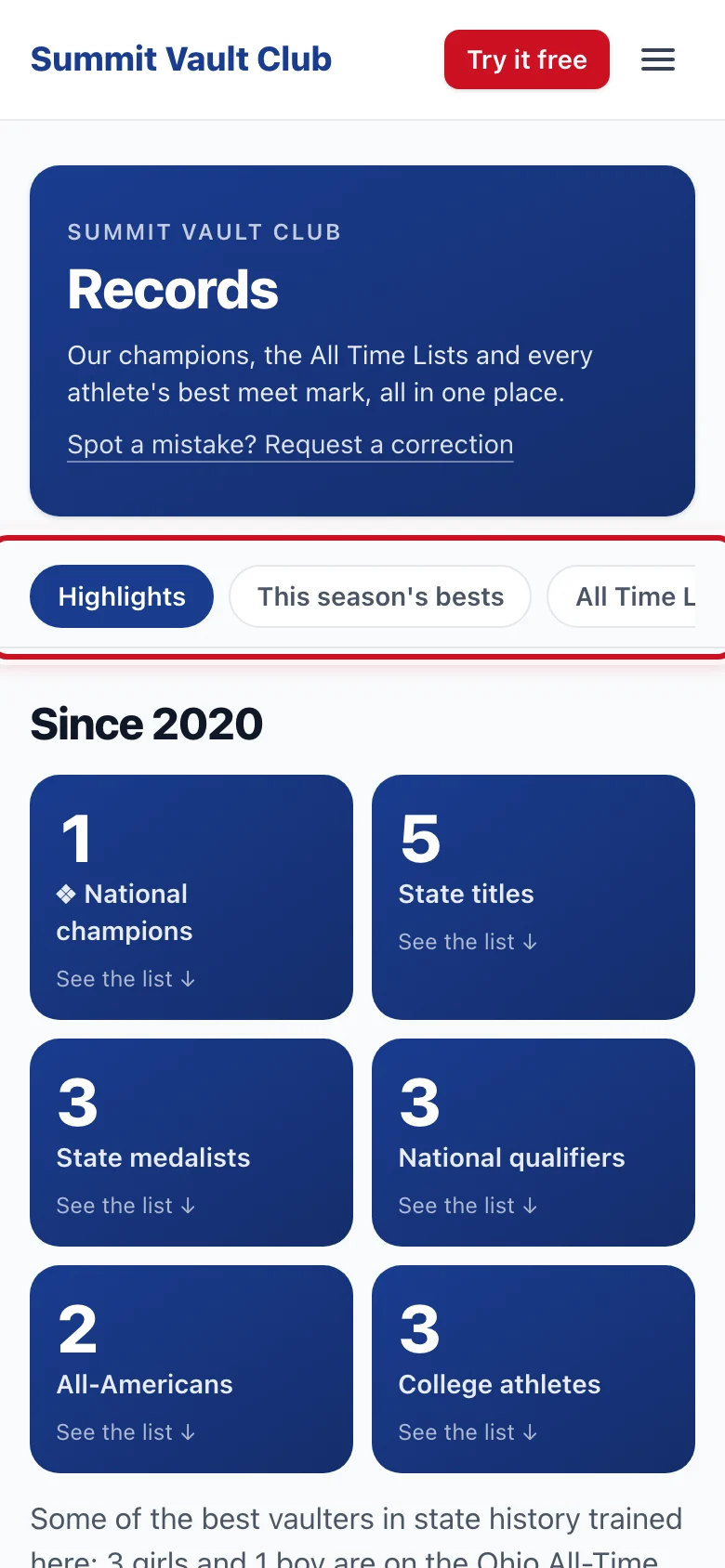
The chips at the top jump to each part and stay in view while you scroll:
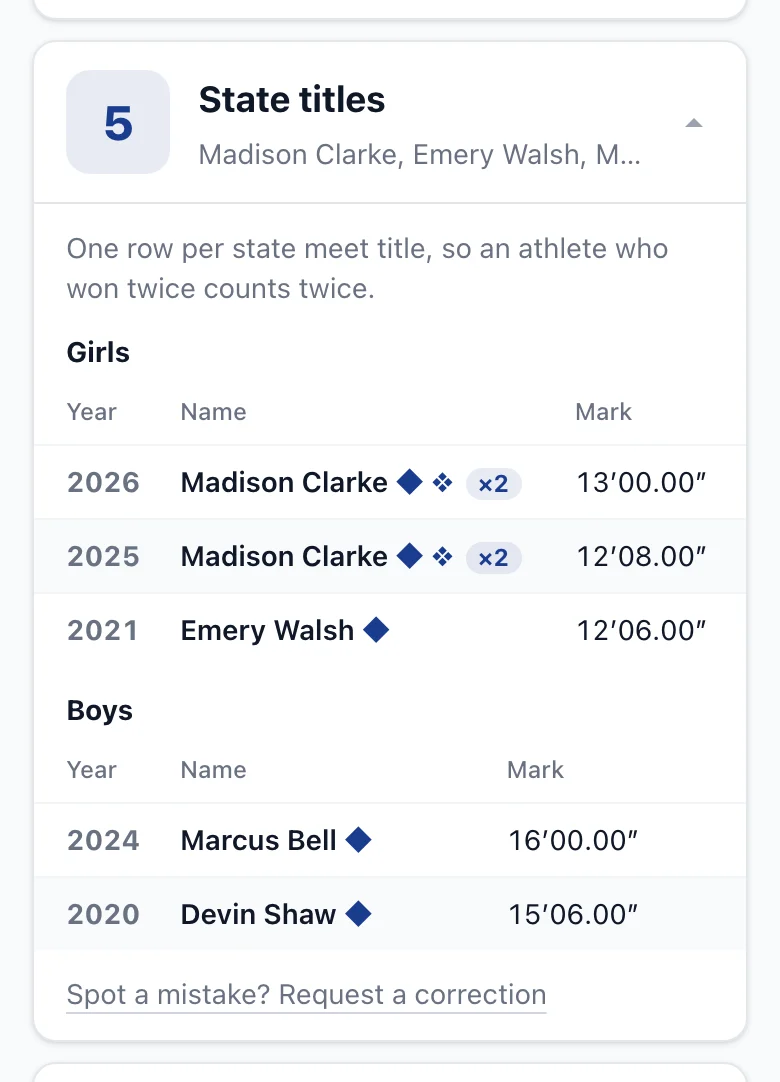
- Highlights: the club's numbers, counted from its lists: national champions, state titles, state medalists, national qualifiers, All-Americans and college athletes, "Since" the first year. Tap a tile to open its list. State titles count every title, so an athlete who won twice counts twice (×2 after their name).
- This season's bests: girls and boys, each athlete's best meet mark this season, with the meet and the date.
- All Time Lists: the club's All Time List and, if the club keeps one, its state's all-time list (for example "Ohio All-Time Top 25", with the state rank). On a phone, switch between the two lists, then Girls and Boys.
- Champions & accolades: a card for each list. Tap a card to open it.
- Every athlete's PR: each athlete's best meet PR, newest first. Search a name, or tap Girls or Boys.
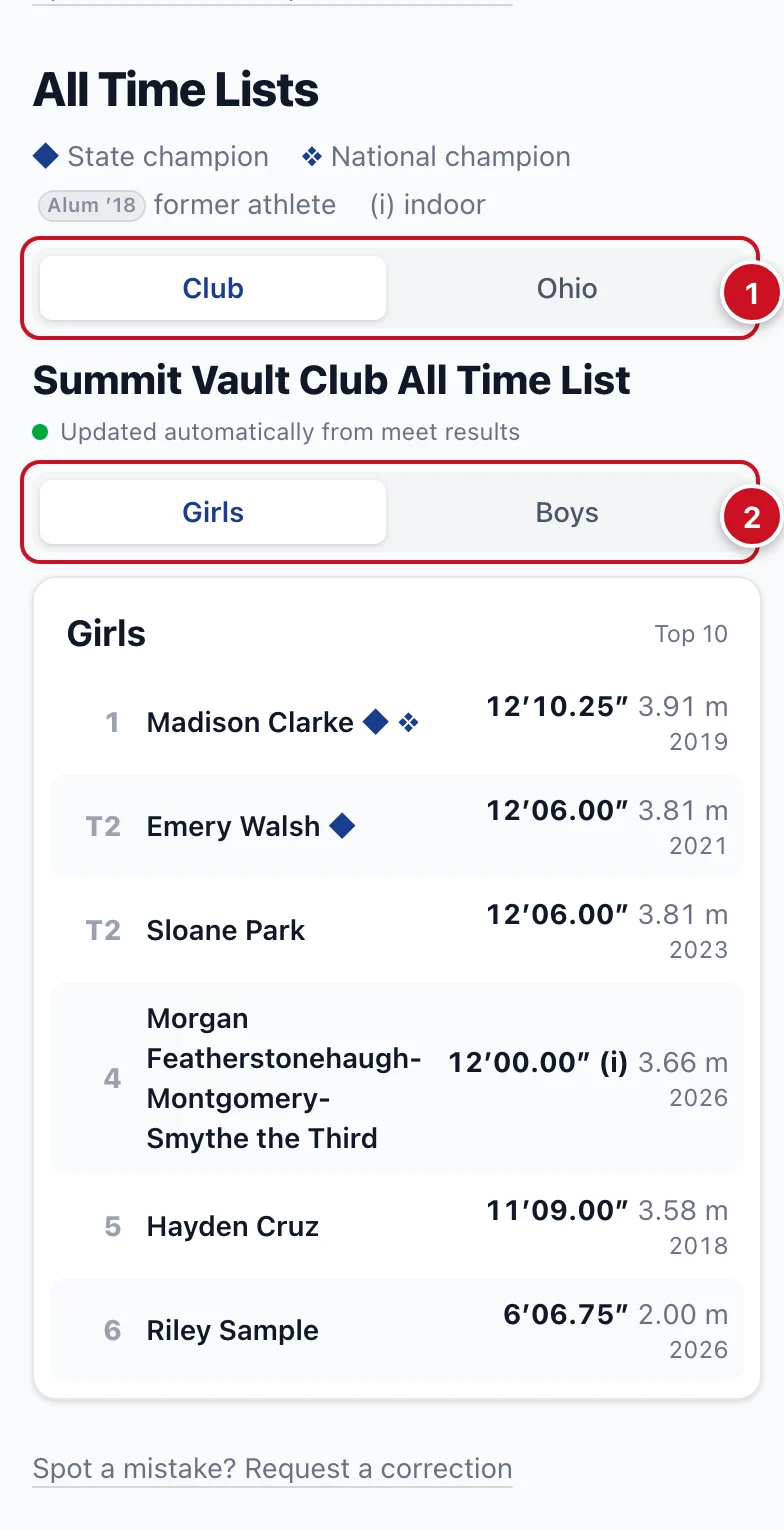
What do the marks mean? ◆ after a name is a state champion, ❖ a national champion. Alum ’18 is a former athlete and the year they finished. (i) after a height is an indoor mark.
Each card has its own link, for example /records#state-champions, and the club handbook links to them.
Who is on the lists?
Season bests, the All Time List and the PR list update by themselves from meet results with a results link. Only club members count: an athlete is on these lists for marks set while they were a member. Meet guests and athletes from other clubs aren't. The accolade lists and the state list are kept by the club.
How do I get on the All Time List?
Clear a height at a meet that's high enough for the girls' or boys' list, and add it with its results link (Family → the athlete → PRs). The list updates by itself. The club sets how long each list is; ties share a place. Girls or boys follows the gender on the athlete's profile.
Can I hide my athlete?
Open Family → the athlete → Settings → Sharing & privacy → More settings and turn off Show marks on the club PR wall and game leaderboards. This hides this season's marks. Past seasons' marks and the champions and accolades always stay on the club's records.
Something's wrong?
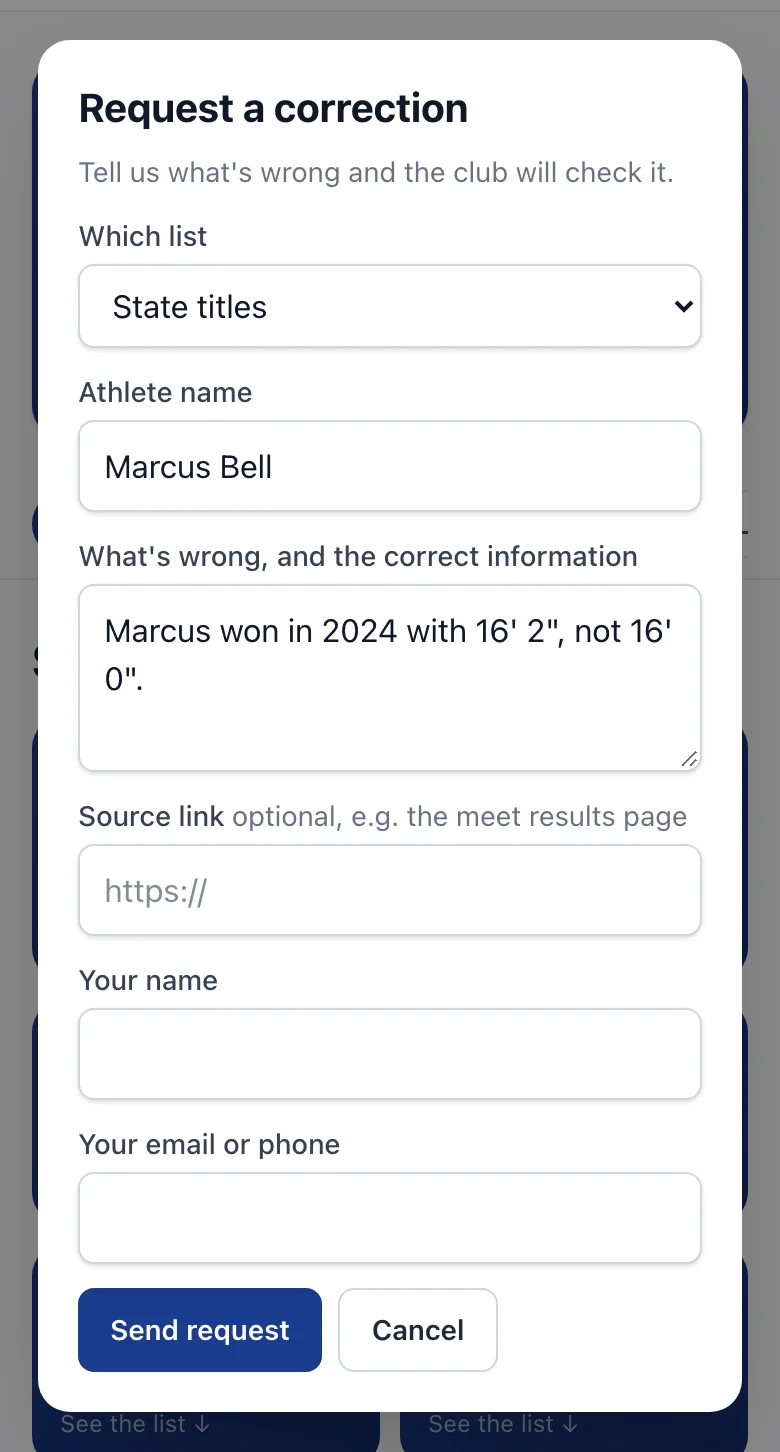
- Tap Spot a mistake? Request a correction. There's one at the top, at the end of each part and inside each card, with that list already chosen.
- Enter the athlete's name and what's wrong, and the correct information.
- Add a source link if you have one (the meet's results page, for example).
- Enter your name and your email or phone, then tap Send request.
The club checks it and fixes the list. They may email or call you if they need more information.